![[Spolzer] Watermark 1.0.3](https://www.societyfrenchmodding.net/data/attachments/12/12159-3a8c983eec450b9aee2d5a2f0cfc5d5d.jpg)


The add-on applies watermarks to images uploaded by users to the forum. Two operating modes, flexible filters, and full control from the ACP.
 Two operating modes
Dynamic — the watermark is applied on the fly on every view, and the original file is not touched. Change the settings and everything applies immediately, with no rebuild.
Permanent — the watermark is written directly into the file forever. Moreover, this happens right when the user uploads it — the file already reaches the server with the watermark. Disable the add-on and nothing changes; the watermark stays in the file.
 What can be applied
 Appearance settings
 Formats and sizes
 Filters — "who and where"
 ACP tools
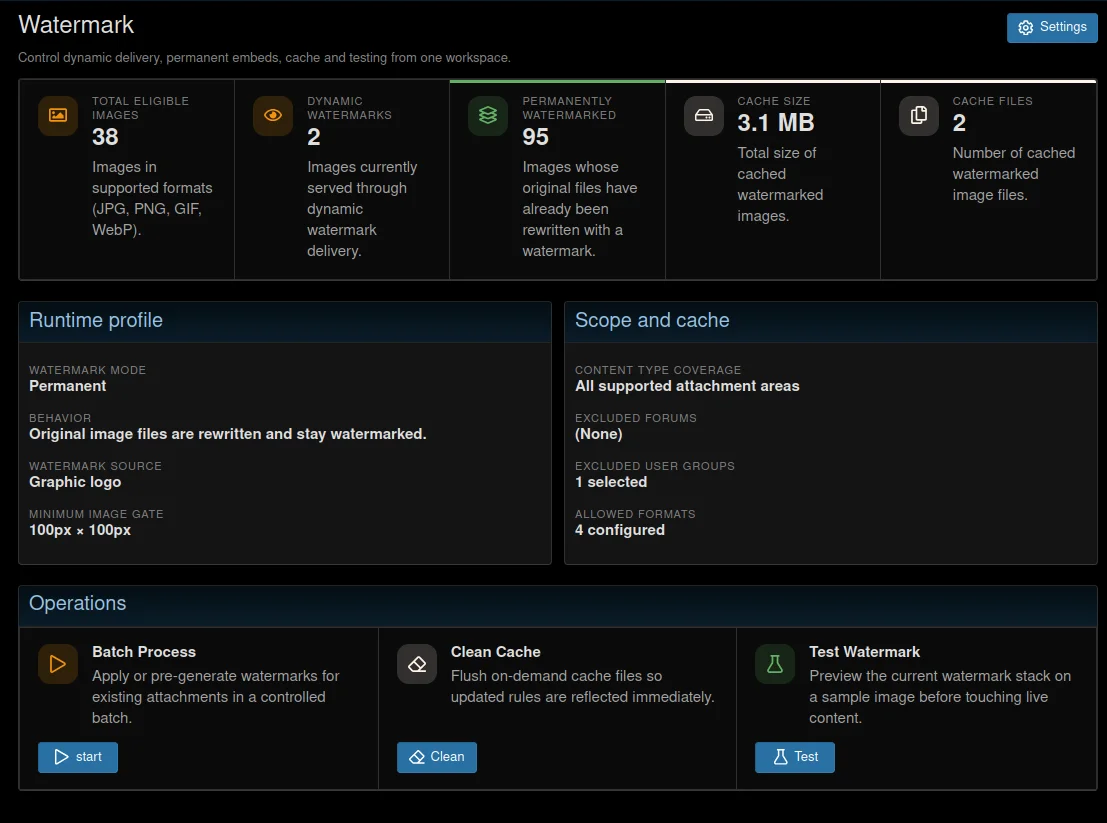
 Overview
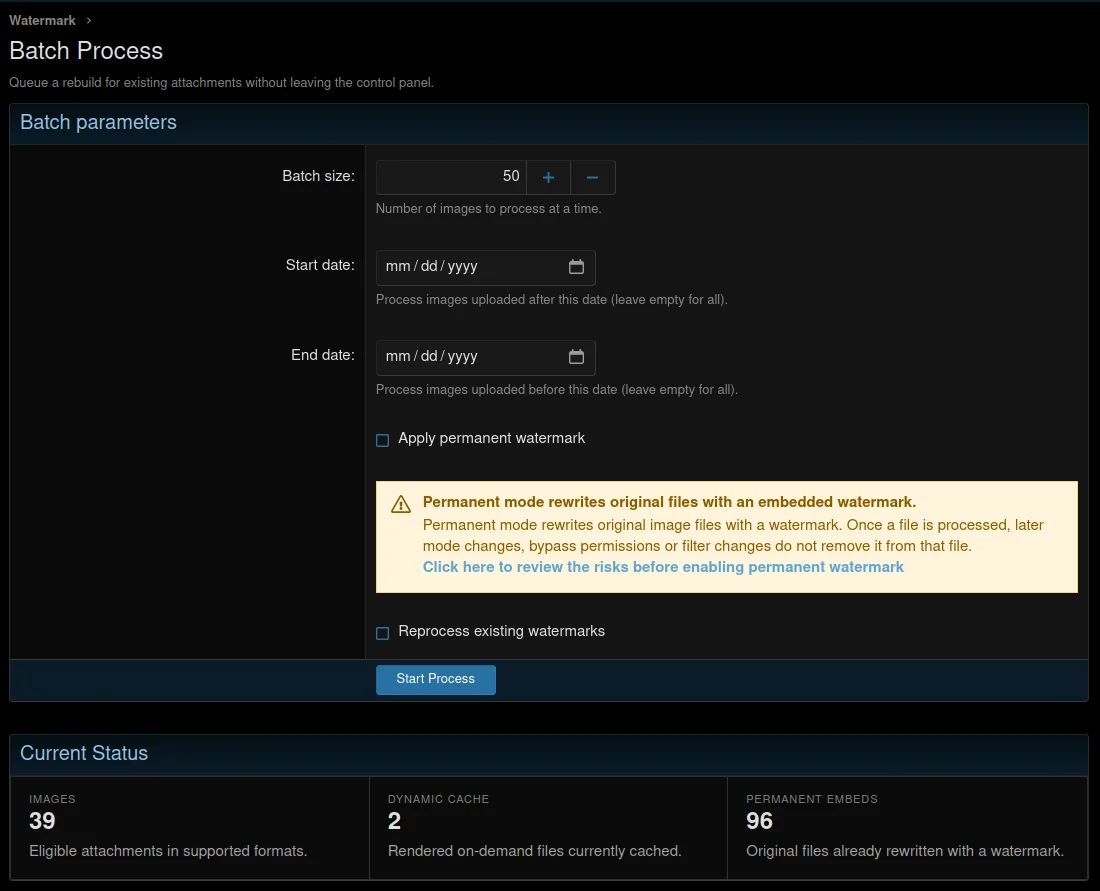
Batch processing
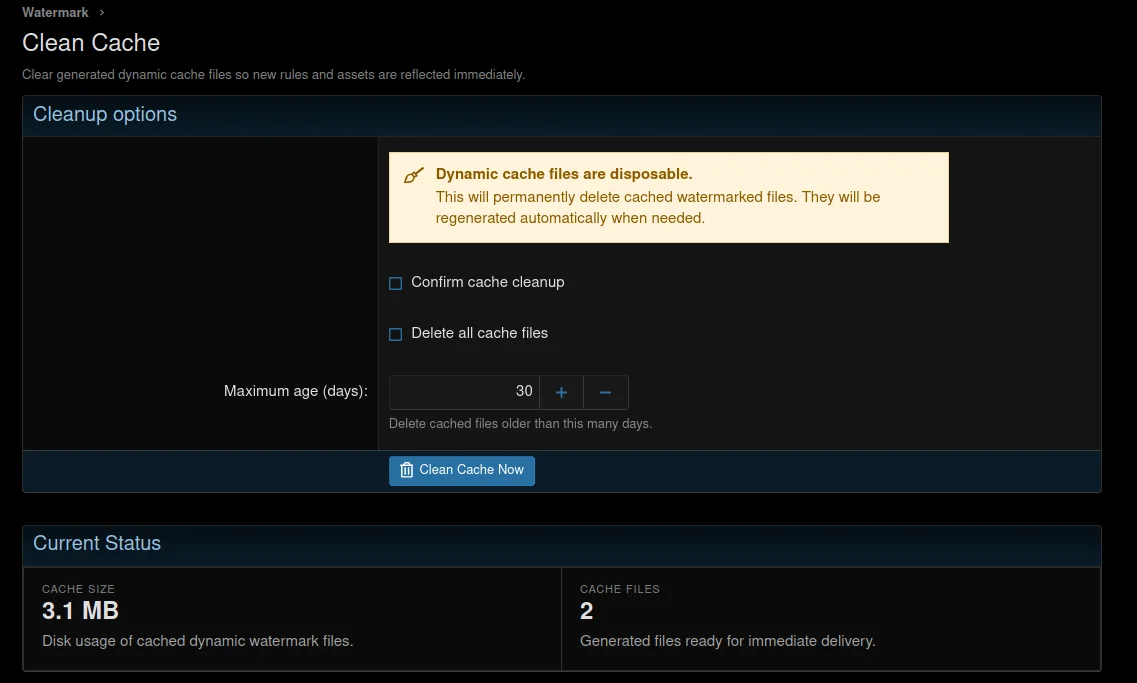
Cache cleanup
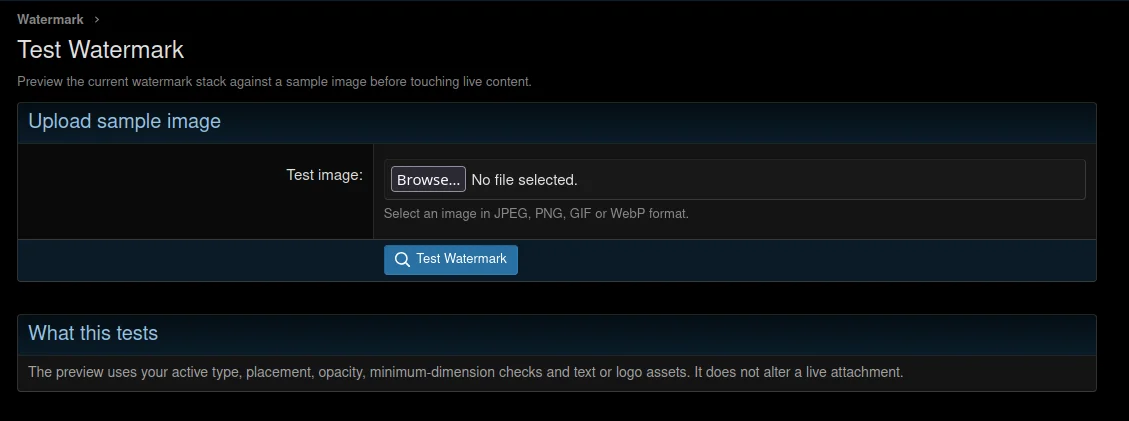
Watermark testing
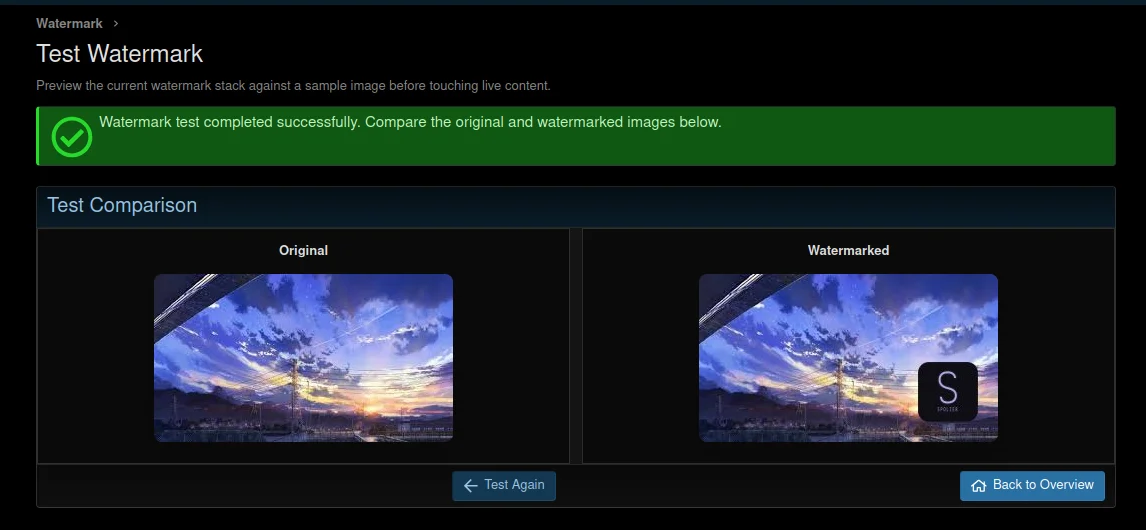
Successful watermark processing
Télécharger V1.0.3 :
Two operating modesDynamic — the watermark is applied on the fly on every view, and the original file is not touched. Change the settings and everything applies immediately, with no rebuild.
Permanent — the watermark is written directly into the file forever. Moreover, this happens right when the user uploads it — the file already reaches the server with the watermark. Disable the add-on and nothing changes; the watermark stays in the file.
What can be applied- Text — write anything you want. Supported variables:
{forum} — forum name
{username} — the name of the user who uploaded the attachment
{year} — year.
You can add your own variables directly in the settings. - Logo — upload an image (JPG, PNG, WebP), and it will be placed on top of the image with the required scale and transparency.
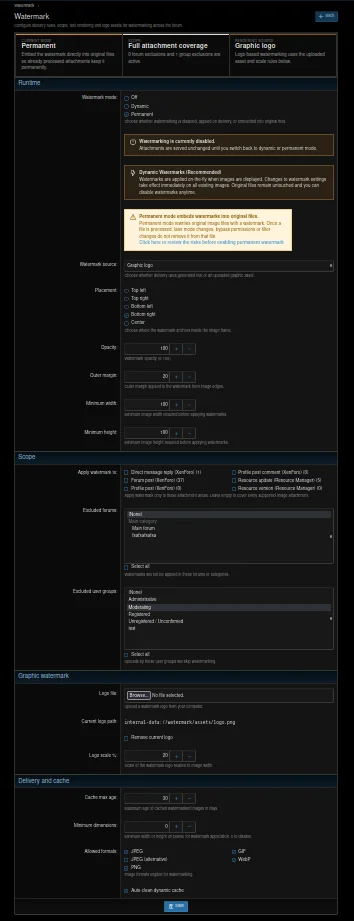
Appearance settings- Position — any corner or center
- Watermark opacity
- Offset from edges
- For text: font, size, color, opacity, background color and opacity, background corner radius
- For logo: scale as a percentage of the image width
- Four built-in fonts — Free Sans, Free Serif, Free Mono, Noto Naskh Arabic. You can upload your own TTF or OTF.
Formats and sizes- JPG, PNG, WebP — through GD or Imagick, whichever is available on the server
- Animated GIF — every frame is processed separately and the animation is preserved

- WebP — with automatic fallback to PNG if the server does not support it
- Minimum dimensions — you can specify a minimum width, height, or shortest side below which no watermark is applied
Filters — "who and where"- Content types — posts, profiles, XFRM resources, AMS articles, Media Gallery, News Publisher, Tickets, DragonByte eCommerce
- Excluded forums — exclude a forum so no watermark is applied there
- Excluded groups — you can exclude any user groups that should not receive a watermark
- Bypass permission — through standard XenForo permissions for specific users or groups
ACP tools- Overview — instantly shows how many images are on the forum, the cache size, how many files have already been processed permanently, and which mode the add-on is currently using
- Batch processing — restrict by upload date, set the batch size, and optionally overwrite already processed files
- Cache cleanup — remove the entire dynamic cache or only files older than N days. Shows how many files were deleted and how much space was freed
- Test — upload any image directly in the ACP and instantly see the original and the result side by side, without saving it to the forum

 Screenshots:
Overview Batch processing Cache cleanup Watermark testing Successful watermark processingTélécharger V1.0.3 :
Pour consulter le contenu, vous devez : Se connecter ou S'inscrire.
![FS: AI Auto-Moderation [LITE] 1.5.0](https://www.societyfrenchmodding.net/data/attachments/12/12156-fe3c0f8ede8bacd87b8bb5f7a6a3040c.jpg)
![[Spolzer] Sticky Post 1.1.0](https://www.societyfrenchmodding.net/data/attachments/12/12165-191848333ad0d1fb2253abb399fca886.jpg)
![[Spolzer] Solution List 1.0.0](https://www.societyfrenchmodding.net/data/attachments/12/12174-522dfc05790cd1e0f36cd946df5660be.jpg)
![[Spolzer] Avatar History 1.0.1](https://www.societyfrenchmodding.net/data/attachments/12/12168-99a5e7908577f1ebe3c3246b893115b0.jpg?hash=ysT57SC-3R)
![[Spolzer] Promote Tools 1.0.3](https://www.societyfrenchmodding.net/data/avatars/s/0/2.jpg)
