![[vbresults.com] Big Board What's New Feed 0.0.1](https://www.societyfrenchmodding.net/data/attachments/12/12150-b3436a5158350b6e9789d4a365c31e06.jpg)


Additional requirements :
- Xenforo 2.3
- PHP 8.3.0+
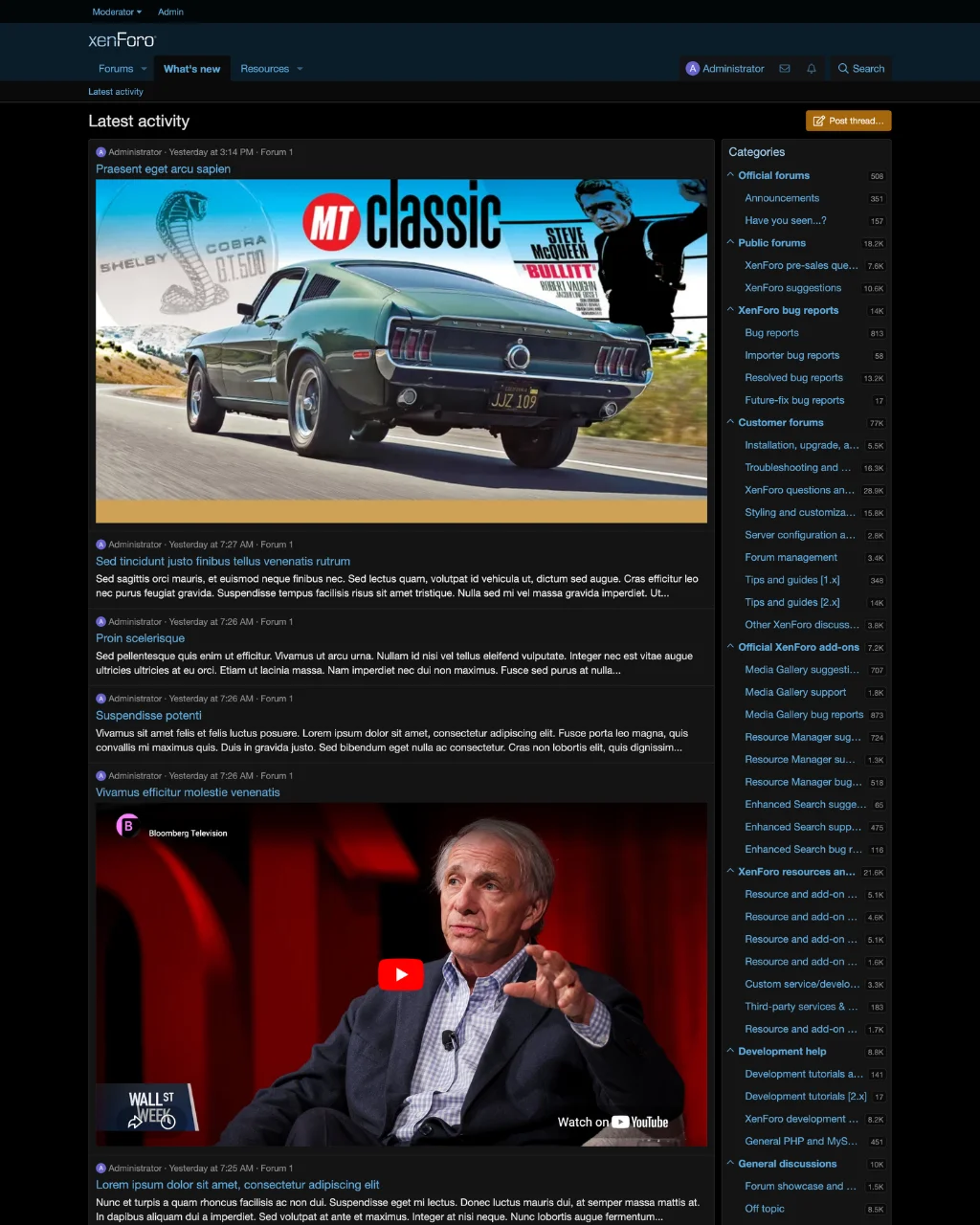
Desktop :
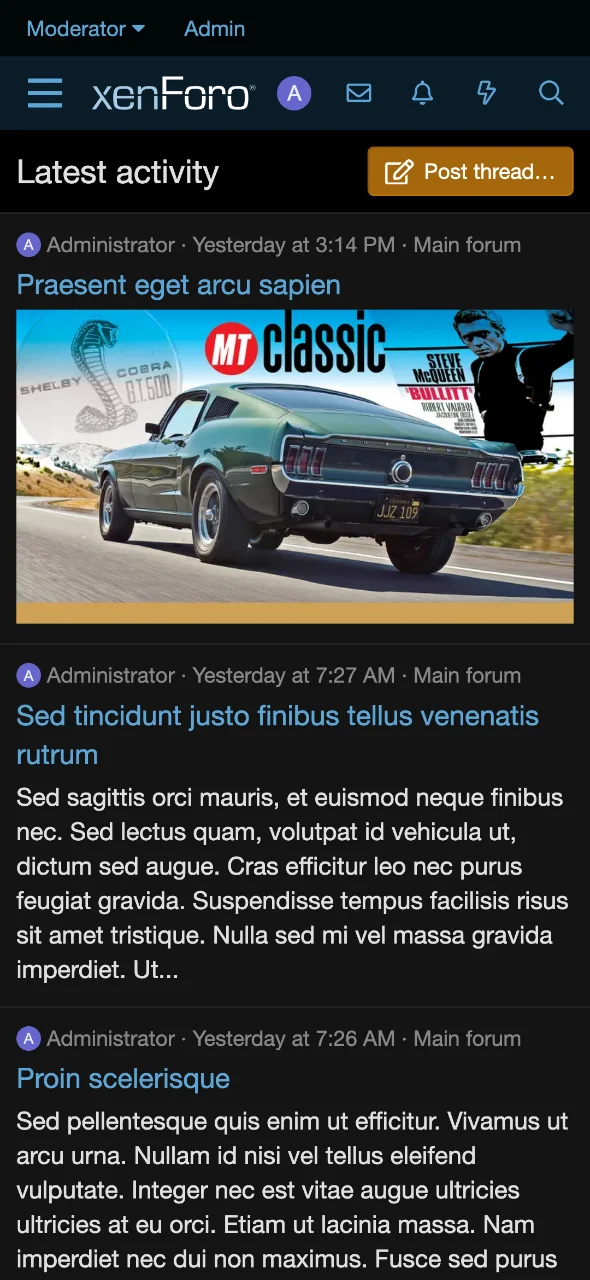
Mobile :
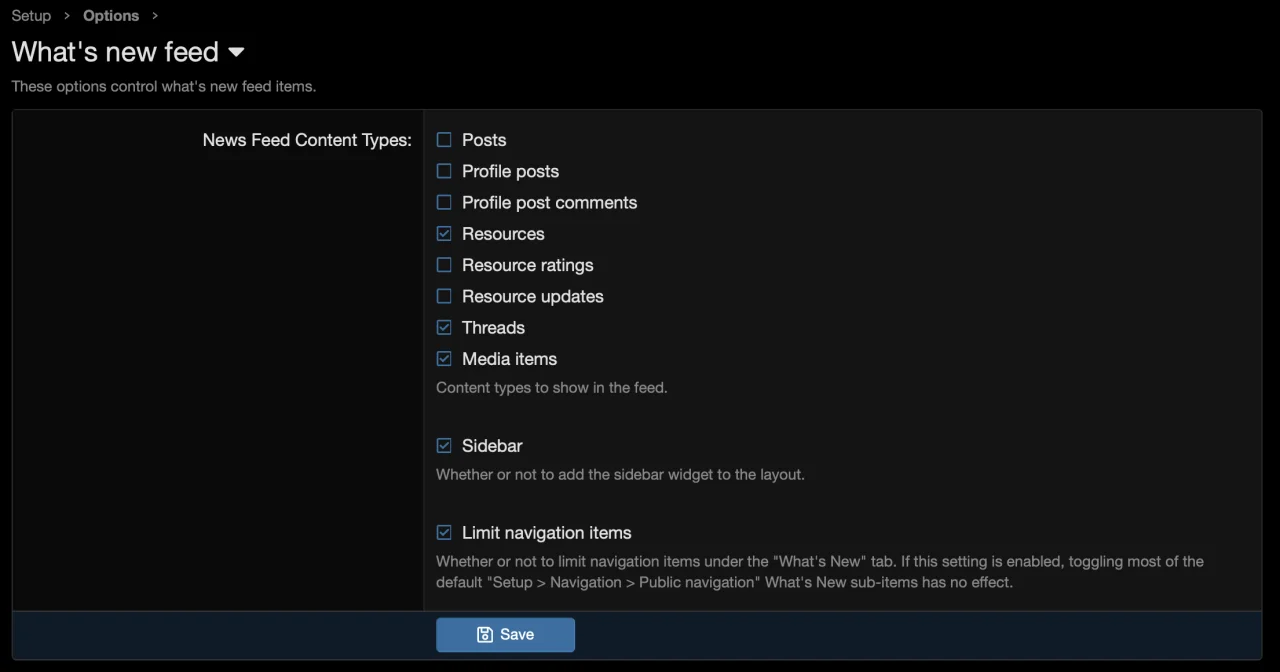
Options :
The default "What's New" page is uncompetitive in the modern social media landscape. Here's why:
It also works performantly with big boards and your existing styles.
Télécharger V0.0.1 :
- Xenforo 2.3
- PHP 8.3.0+
Desktop :
Mobile :
Options :
The default "What's New" page is uncompetitive in the modern social media landscape. Here's why:
- No content preview
- No way to submit a new post
- No access to forum list
- Low information density and duplicated content
- Too many tabs which are unused
- 'New posts' tab only shows unread posts by default
- 'Latest activity' tab is full of clutter content types: likes, etc.
- 'Latest activity' tab has no sidebar
- 'Latest activity' text does not link to content
It also works performantly with big boards and your existing styles.
1. Under 'Admin > Add-ons > Install/upgrade from archive', import/install the attached add-on zip
2. Under 'Admin > Appearance > Widgets > + Add widget'
Widget definition: What's New Feed: Nodes
Widget key: whats_new_feed_nodes
Display in positions: What's new: Sidebar
3. Under 'Admin > Setup > Options > Basic options', set 'Index page route' to whats-new/latest-activity/ and Save
[Resource Manager only]
4. Check 'Resources' under 'Admin > Setup > Options > What's new feed > News Feed Content Types' and Save
[Media Gallery only]
5. Check 'Media items' under 'Admin > Setup > Options > What's new feed > News Feed Content Types' and Save
2. Under 'Admin > Appearance > Widgets > + Add widget'
Widget definition: What's New Feed: Nodes
Widget key: whats_new_feed_nodes
Display in positions: What's new: Sidebar
3. Under 'Admin > Setup > Options > Basic options', set 'Index page route' to whats-new/latest-activity/ and Save
[Resource Manager only]
4. Check 'Resources' under 'Admin > Setup > Options > What's new feed > News Feed Content Types' and Save
[Media Gallery only]
5. Check 'Media items' under 'Admin > Setup > Options > What's new feed > News Feed Content Types' and Save
Pour consulter le contenu, vous devez : Se connecter ou S'inscrire.

![[unloadmod] ColorPreview 1.0.0](https://www.societyfrenchmodding.net/data/attachments/12/12153-09bafe563cdb3629f2713d1d7a22d05d.jpg)
![[vbresults.com] Read-only Mode 1.0.6](https://www.societyfrenchmodding.net/data/attachments/10/10679-414e0c5059eab2f5e0312955fd2e356d.jpg)
![[vbresults.com] Filter Thread Fields 1.0.6](https://www.societyfrenchmodding.net/data/attachments/10/10657-7494fe7876d90b6525756b435fa16cf3.jpg)
![[vbresults.com] Thread Merge 1.0.8](https://www.societyfrenchmodding.net/data/attachments/10/10671-2580607adcad2e6e2eec41bcbb88fdb9.jpg?hash=x9f-8GIcdz)
![[vbresults.com] Filter Resource Fields 1.0.7 r5](https://www.societyfrenchmodding.net/data/attachments/10/10655-e66f4effd5b7034c5160685bcb288119.jpg)
![[vbresults.com] Custom PHP Pages 1.2.2](https://www.societyfrenchmodding.net/data/avatars/s/0/2.jpg)