![[MC] Discord Widget 3.2.1](https://www.societyfrenchmodding.net/data/attachments/10/10728-1822140429260f91c13e93adf766468b.jpg)


Third Party Libraries
This addon makes use of discord-widget from Resting Coder.
What does this addon do ?
This addon lets you add a discord server widget to your forum list sidebar which features channels and online users.
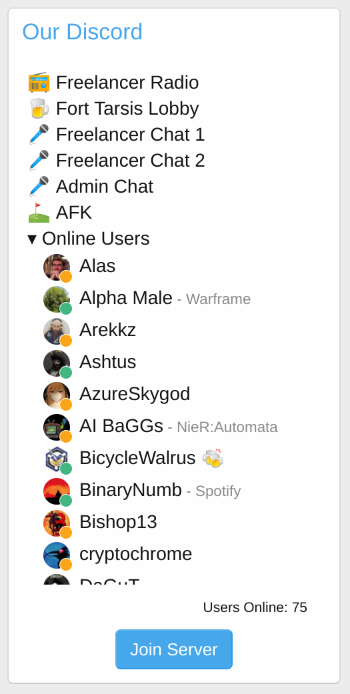
There are an extensive amount of options to customize the discord widget to your liking.
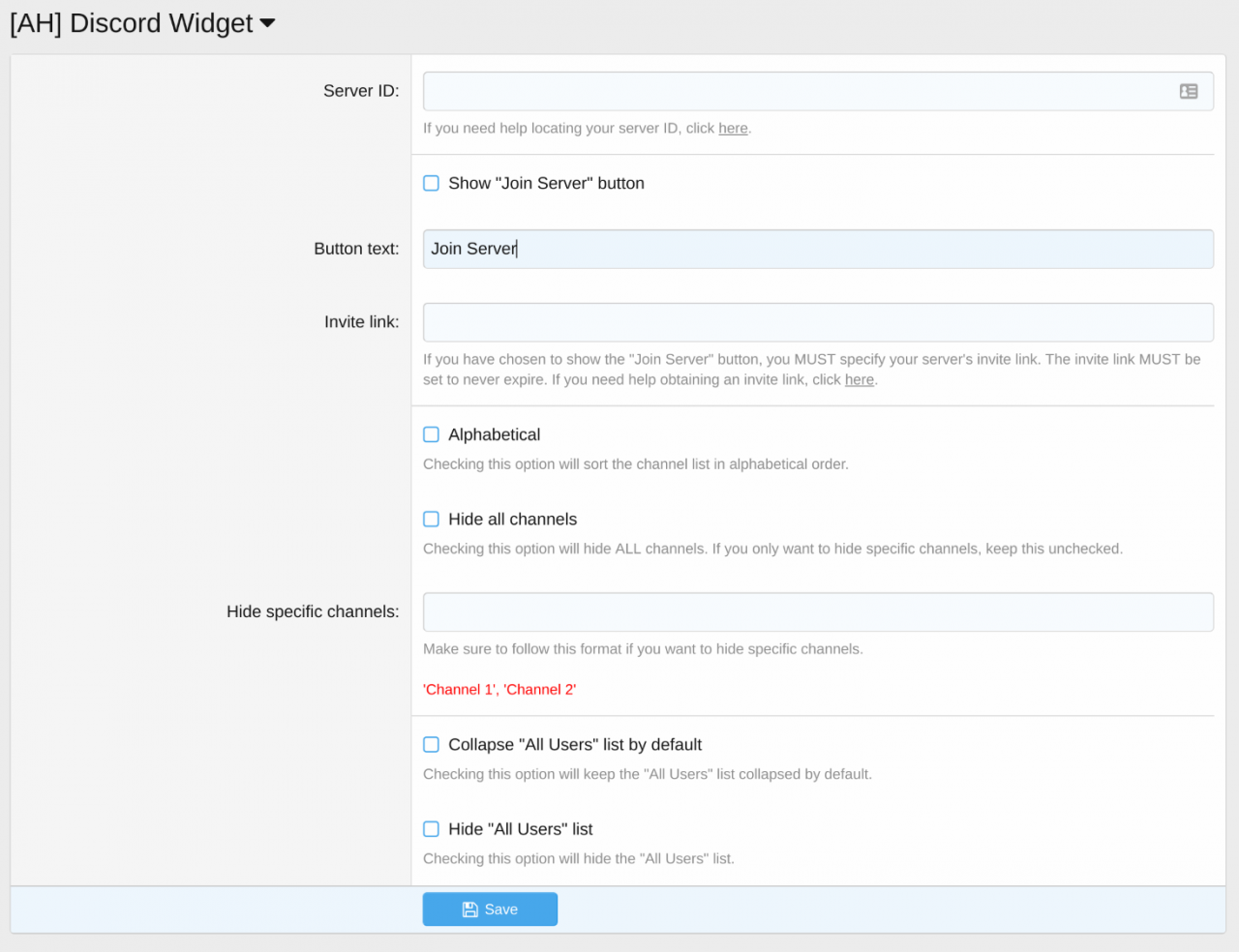
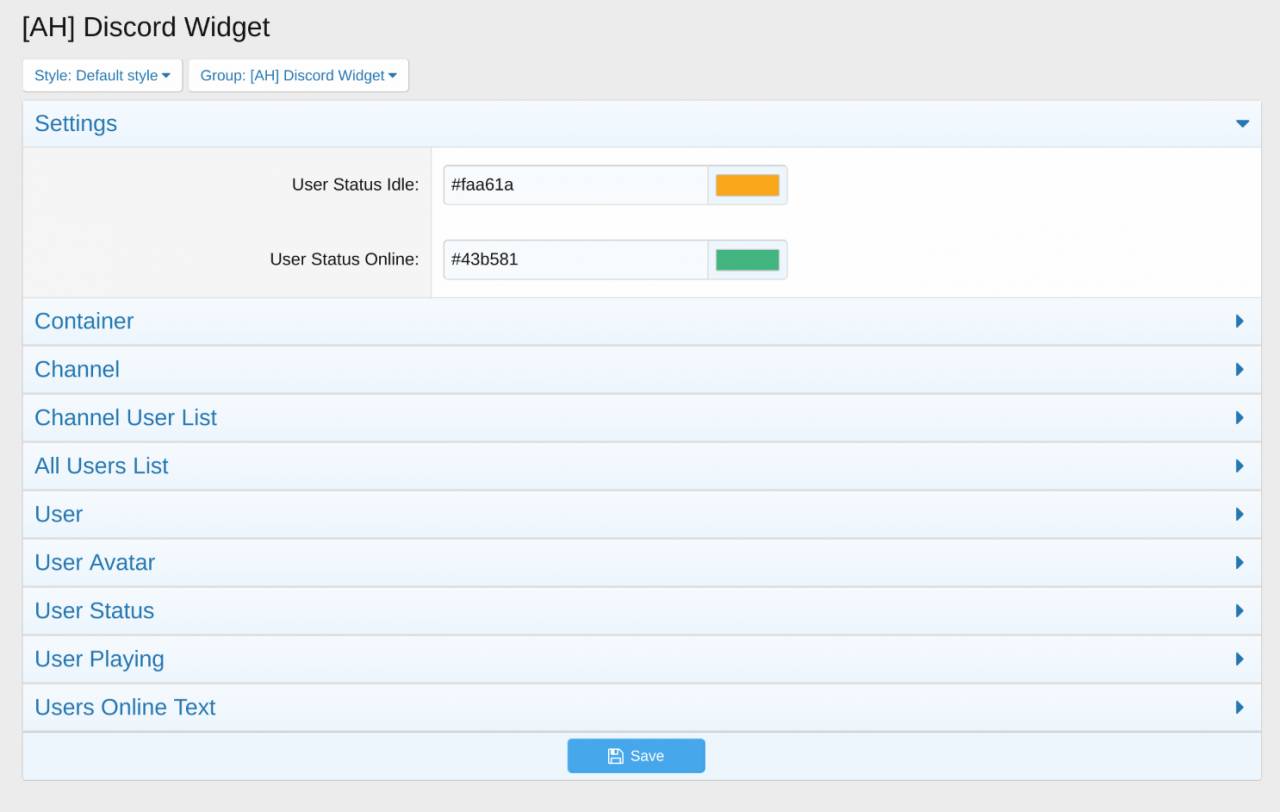
The discord widget is fully customizable with style properties as well.
Installation :
If you have found this add-on useful, please leave a rating.
Télécharger V2.2.3 :
Version 3.0.3 :
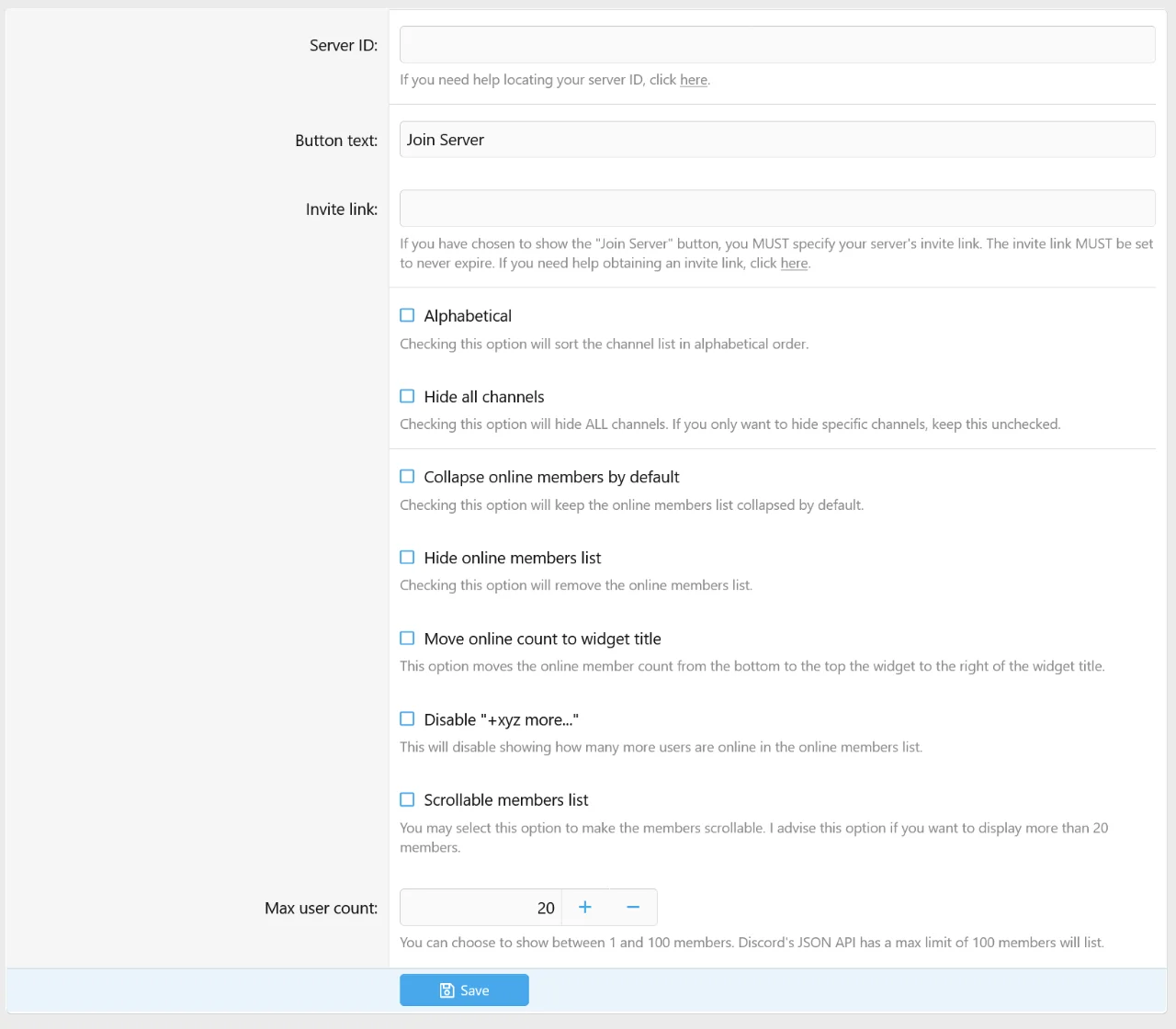
- This release adds new features:
Télécharger V3.0.3 :
Version 3.2.1 A new version has been released.
FIles now live under MC/DiscordWidget. Meaning you will have to perform a fresh install and migrate settings over.
Télécharger V3.2.1 :
This addon makes use of discord-widget from Resting Coder.
What does this addon do ?
This addon lets you add a discord server widget to your forum list sidebar which features channels and online users.
There are an extensive amount of options to customize the discord widget to your liking.
The discord widget is fully customizable with style properties as well.
Installation :
- Follow the standard add-on installation procedures.
- Once installed, you need to insert your discord server's ID into the "Server ID" option field. If you need help obtaining your discord server's ID, click here.
- Make sure "Enable Widget" is checked on your discord server's settings. If you need help, click here
- Go to the widget area of the admin control panel, and add the widget titled "[AH] Discord Widget" where ever you desire.
If you have found this add-on useful, please leave a rating.
Télécharger V2.2.3 :
Pour consulter le contenu, vous devez : Se connecter ou S'inscrire.
Version 3.0.0 Released. XF 2.3 compatible
XENFORO 2.3 ONLY
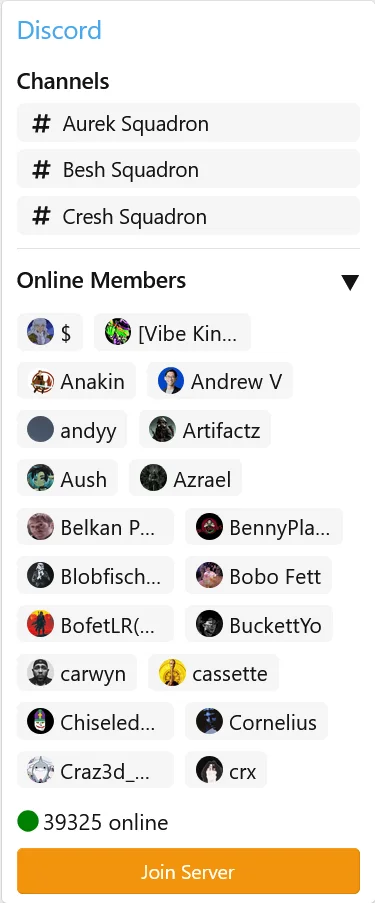
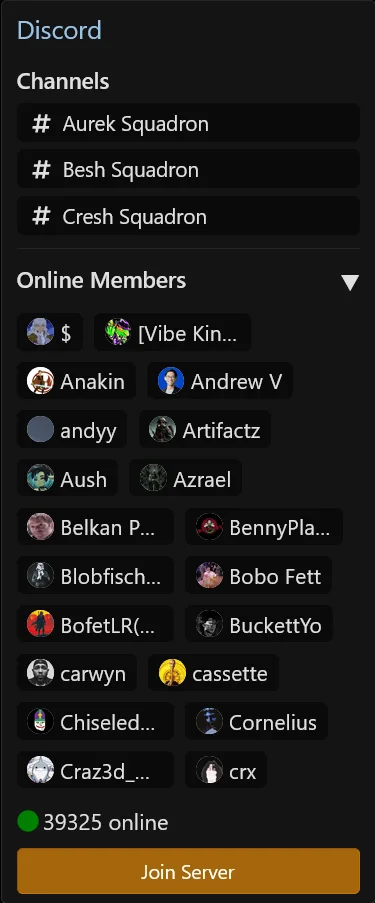
This add-on has been completely rewritten from JQuery to Javascript in order to be XF 2.3 compatible. It also redesigned to be more appealing and blend into your existing style.
Please note this add-on only functions through Discord's JSON API. Whatever is listed on that API, is what will show.
The JSON API ONLY supports voice and text channels. No threads, no categories, no stages.
Version 3.0.1 :
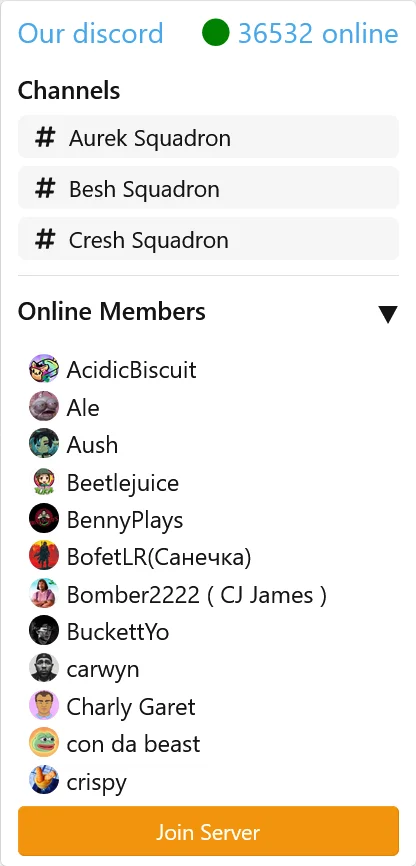
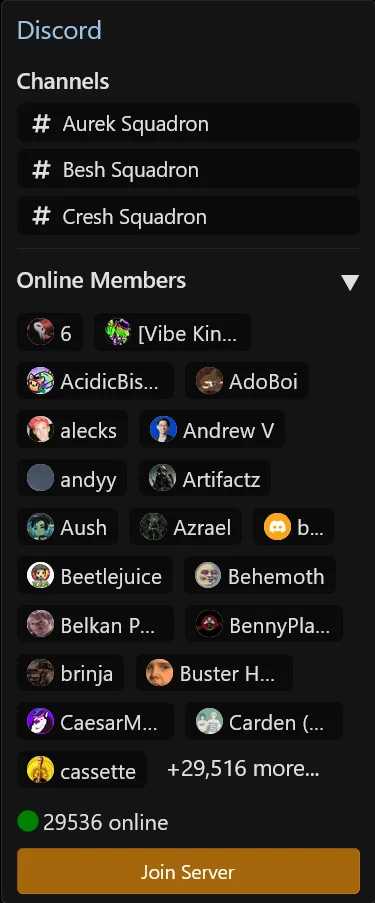
Due to the limitations of Discord's JSON API, they will only show the first 100 members online. So if you have 100 or more members online, it will show the first 20 in the list, and then "+ 80 more" no matter how many more members are online.
Here is an example: This server has almost 30,000 people online, but the online member list will show a maximum of 100.
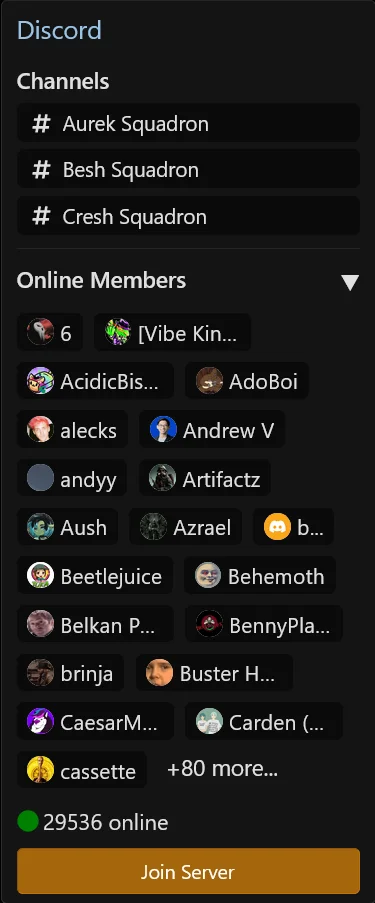
But they do have a
Version 3.0.2 : This update brings a couple of new features
XENFORO 2.3 ONLY
This add-on has been completely rewritten from JQuery to Javascript in order to be XF 2.3 compatible. It also redesigned to be more appealing and blend into your existing style.
Please note this add-on only functions through Discord's JSON API. Whatever is listed on that API, is what will show.
The JSON API ONLY supports voice and text channels. No threads, no categories, no stages.
Version 3.0.1 :
Due to the limitations of Discord's JSON API, they will only show the first 100 members online. So if you have 100 or more members online, it will show the first 20 in the list, and then "+ 80 more" no matter how many more members are online.
Here is an example: This server has almost 30,000 people online, but the online member list will show a maximum of 100.
But they do have a
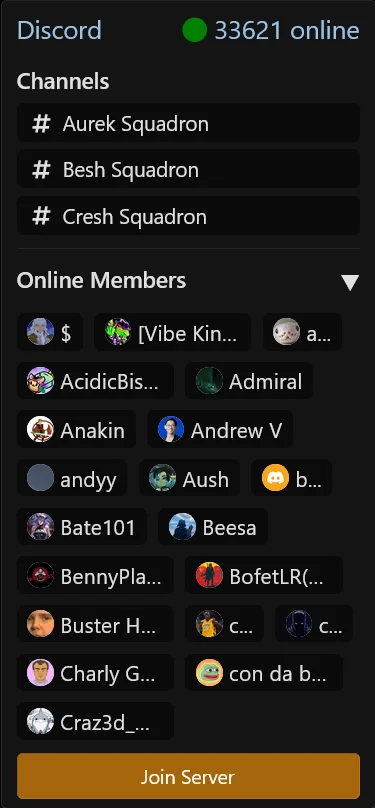
presense_count that will show the true number of how many user's are online. I've reworked the logic to go based off the presense_count instead. Here is what that looks like.Version 3.0.2 : This update brings a couple of new features
- Option to move online member count to widget title
- Option to disable showing how many more users are online "+xyz more..."
- Fixed issue where "+xyz more" would get cut off with many users
- This release adds new features:
- Adds new option for a scrollable members list.
- Adds option to change how many members appear in the online list. Options are between 1 and 100, due to limitations of Discord's JSON API. I do not recommend setting this to more than 15-20, unless you are using the scrollable members list or have the members list collapsed by default
- Will now do a better job of filtering out bot users like "a...." or "b..."
- JavaScript code is significantly cleaned up and refactored to be more efficient.
Télécharger V3.0.3 :
Pour consulter le contenu, vous devez : Se connecter ou S'inscrire.
Version 3.2.1 A new version has been released.
- We now allow multiple discord server widgets. Server ID and invite link have been delegated to the widget options allowing for multiple servers.
- Slight styling adjustments
- Our branding helper has been integrated into this updated version. May be disabled at no cost.
FIles now live under MC/DiscordWidget. Meaning you will have to perform a fresh install and migrate settings over.
Télécharger V3.2.1 :
Pour consulter le contenu, vous devez : Se connecter ou S'inscrire.


 merci
merci
![XF2 [8WR] Discord Integration 2.1.0.5 / 2.1.0.6 / 2.1.0.7 / 2.1.0.8 / 2.1.0.9 / 2.1.1.1](https://www.societyfrenchmodding.net/data/avatars/s/0/2.jpg)
![[TC] Discord: Core 1.0.0](https://www.societyfrenchmodding.net/data/attachments/7/7716-e96ec2b87adadb46923dacbea4731dc1.jpg)
![[OzzModz] Widget: Forum Threads Images Slider 2.0.2](https://www.societyfrenchmodding.net/data/attachments/8/8107-50db91d74ab6750f32ee642bb172d483.jpg)

