


- Avertisement
Attention En aucun cas Societyfrenchmodding ou moi
ne sera tenu responsable en cas de brick de votre console ou de disfonctionnement !
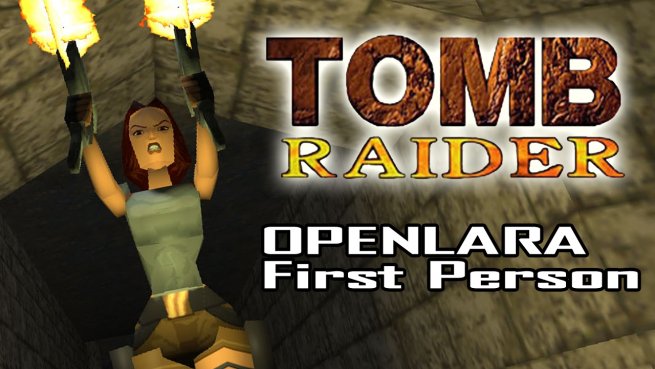
Développé par Timur Gagiev sous le nom d'OpenLara, le premier chapitre de Tomb Raider, débarque désormais sous Nintendo Switch.
Porté à partir d'OpenTomb, l'implémentation du moteur de Tomb Raider fait donc son retour sur la dernière console de Nintendo sous forme d'un NRO.
Instruction:
Porté à partir d'OpenTomb, l'implémentation du moteur de Tomb Raider fait donc son retour sur la dernière console de Nintendo sous forme d'un NRO.
Instruction:
STEP 1: Extract OpenLara.nacp and OpenLara.nro from the archive into "/switch/OpenLara/" on your microSD card
for original PC, PSX and Sega Saturn CD version owners
copy data from your CD into /switch/OpenLara/
for ported android version owners
unzip data file /sdcard/obb/com.squareenix.tombraider1classic/main.42.com.squareenix.tombraider1classic.obb into /switch/OpenLara/
for Steam/GOG version owners
go to ..\Steam\steamapps\common\Tomb Raider (I)\ and run dosbox.exe
enter these commands
mount C .
imgmount d ".\game.dat" -t iso -fs iso
xcopy D : \DATA\ C:\DATA\
after that you'll get level files in the new "DATA" folder copy them into /switch/OpenLara/
for advanced users
copy level and title screen files (PHD, PSX, PCX, PNG, RAW, SAT, SAD, SPR, SND, BIN) into "/switch/OpenLara/level/1/"
copy audiotrack files (track_*.ogg, track_*.mp3) into "/switch/OpenLara/audio/1/"
STEP 2: Open switchbrew hbmenu (Album app) and run OpenLara
To switch into two players mode hold L and R buttons on both joy-cons.
Clicking on the sticks mapped as Start button and used to respawn your player to the position of another.
Hold L and R buttons on the one of joy-cons to switch back to single player mode
Téléchargement :
Pour consulter le contenu, vous devez : Se connecter ou S'inscrire.
![[Switch] OpenLara version finale](https://www.societyfrenchmodding.net/data/avatars/s/0/2.jpg)
