

- Discussions
- 4 839
- Messages
- 12 546
- Solutions
- 84
- J'aime
- 7 848
- Points
- 198
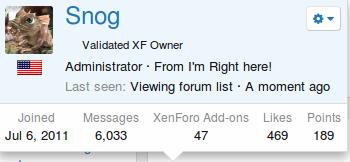
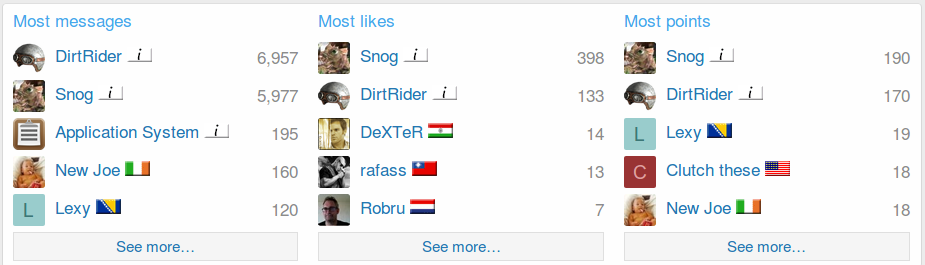
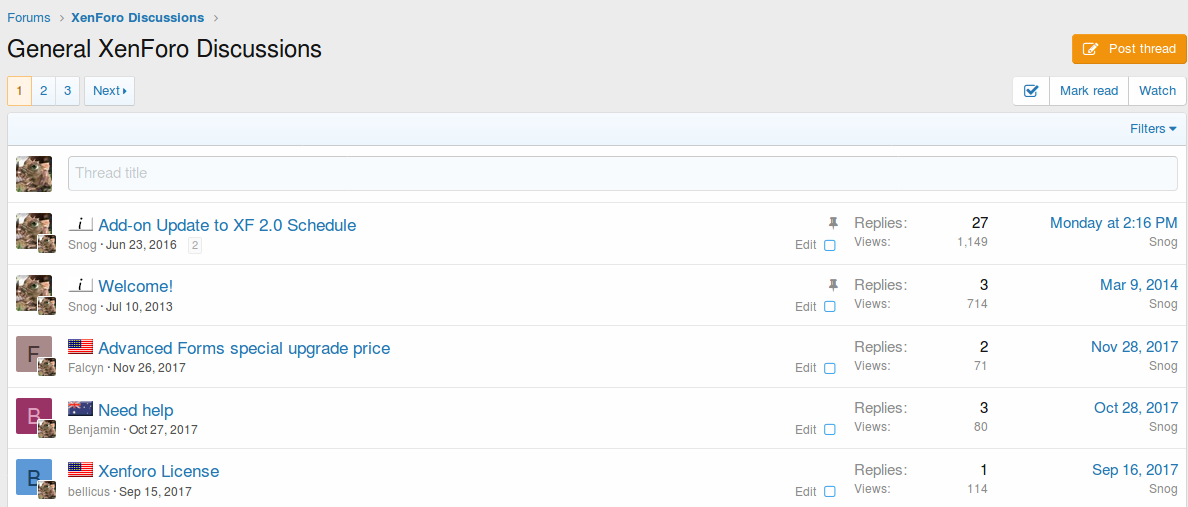
Indique le pays dans lequel vos membres sont basés en fonction de leur adresse IP actuelle.
Cet add-on utilise la base de données GeoLite2-Country de MaxMind et la base de données DB Reader de MaxMind. Cet add-on ne nécessite pas l'installation de mod_geoip sur votre serveur.
Caractéristiques:
Fonctionne avec les adresses IP IPV4 et IPV6
Sélectionnez les groupes d'utilisateurs pouvant afficher les drapeaux
Sélectionnez l'endroit où les drapeaux sont affichés.
Mise à jour automatique des bases de données
MODIFICATIONS DE LA VERSION XF 1.x
Les autorisations d'affichage des indicateurs ne sont plus dans les options complémentaires, elles se trouvent dans les autorisations utilisateur / groupe d'utilisateurs.
EXIGENCES:
BC Math pour PHP doit être installé sur le serveur et PHP doit être configuré pour utiliser BC Math.

V2.0.5
Telecharger :
V2.0.6
Fix - Errors for connection to MaxMind during install not being properly displayed
Télécharger :
V2.0.8
Télécharger :
V2.0.9
Fix - Flag over avatar being improperly displayed in deleted posts
Add - Some minor changes for flag display in XenForo 2.1
Télécharger :
V2.0.10
Fix - Flag being displayed over online indicator under some circumstances (XF 2.1)
Télécharger :
V2.0.11
Télécharger :
V2.0.11.1
Remove - Check for BCMath from setup routine
Télécharger :
V2.0.12
[*]Change - Return any errors generated prior to MaxMind database download during setup
Télécharger :
Country Flags by IP Address for XenForo 2.1+ Update 2.1.0
Add - Download of database when MaxMind license key is entered or changed in add-on options
Change - Database update cron task will not run without MaxMind license key
Change - Flag detection will not run if MaxMind database hasn't been downloaded
Remove - Download of database from setup routine
NOTE: All users of this add-on must obtain their own license key from MaxMind and enter it in the add-on options.
To obtain a license key, see this :
 support.maxmind.com
Télécharger V2.1.0 :
Country Flags by IP Address for XenForo 2.1+ Update 2.1.1
Changed most of the template modifications from Simple replacement to Regular expression to hopefully avoid conflicts with third party styles.
Télécharger V2.1.1 :
Country Flags by IP Address for XenForo 2.1+ Update 2.1.2 :
Fixed the flags showing in forums that were selected to not show in.
Télécharger V2.1.2 :
Country Flags by IP Address for XenForo 2.1+ Update 2.1.3 :
Reverted the changes that were made in 2.1.2. The changes were not designed to do what I thought they did.
Fixed a display issue on smaller devices if you had the position of the flags to be shown below the username.
Télécharger V2.1.3 :
[OzzModz] Country Flags by IP Address for XenForo 2.1+ Update 2.1.4
Fixed : post_macros template modification to hopefully be more compatible with all styles.
Changed : Addon name to [OzzModz] Country Flags by IP Address
Added : Support link for addon in the addon list in the ACP.
Télécharger V2.1.4 :
Version 2.2.0 Changelog :
Now requires XF 2.2+
PHP 8 compatibility
Removed useless Cloudflare Middleware
Refactor Maxmind API integration
Fix : check "last-modified" header for GeoIP Database file before updating
GeoIP Database file moved to "internal-data" and mounted to own filesystem for compatibility with XF setups with external storage
Version 2.2.0 Patch Level 1 :
- Fix : incorrect cron job class name.
Version 2.2.0 Patch Level 2 : Fixed : Maxmind api not found error.
Télécharger V2.2.0 Patch Level 2 :
Version 2.2.0 Patch Level 4 :
- Fixied XF 2.2.13 template modification compatibility
Télécharger V2.2.0 Patch Level 4 :
Version 2.2.1:
Version 2.2.1 Patch Level 1 :
- Fixed incorrect flag display condition
Télécharger V2.2.1 Patch Level 1 :
Version 2.2.1 Patch Level 2 :
Télécharger V2.2.1 Patch Level 2 :
Version 2.2.1 Patch Level 3 :
- Fix: check $user is not array in member_list_macros template modification
Télécharger V2.2.1 Patch Level 3 :
Version 2.2.1 Patch Level 5 : XF 2.3 support
Télécharger V2.2.1 Patch Level 5 :
Cet add-on utilise la base de données GeoLite2-Country de MaxMind et la base de données DB Reader de MaxMind. Cet add-on ne nécessite pas l'installation de mod_geoip sur votre serveur.
Caractéristiques:
Fonctionne avec les adresses IP IPV4 et IPV6
Sélectionnez les groupes d'utilisateurs pouvant afficher les drapeaux
Sélectionnez l'endroit où les drapeaux sont affichés.
Mise à jour automatique des bases de données
MODIFICATIONS DE LA VERSION XF 1.x
Les autorisations d'affichage des indicateurs ne sont plus dans les options complémentaires, elles se trouvent dans les autorisations utilisateur / groupe d'utilisateurs.
EXIGENCES:
BC Math pour PHP doit être installé sur le serveur et PHP doit être configuré pour utiliser BC Math.
V2.0.5
Telecharger :
Pour consulter le contenu, vous devez : Se connecter ou S'inscrire.
V2.0.6
Fix - Errors for connection to MaxMind during install not being properly displayed
Télécharger :
Pour consulter le contenu, vous devez : Se connecter ou S'inscrire.
V2.0.8
- Add - Option to display resource creator's country flag in resource list
- Add - Option to display resource creator's country flag in resource view
- Add - Country filter option to resource category view
Télécharger :
Pour consulter le contenu, vous devez : Se connecter ou S'inscrire.
V2.0.9
Fix - Flag over avatar being improperly displayed in deleted posts
Add - Some minor changes for flag display in XenForo 2.1
Télécharger :
Pour consulter le contenu, vous devez : Se connecter ou S'inscrire.
V2.0.10
Fix - Flag being displayed over online indicator under some circumstances (XF 2.1)
Télécharger :
Pour consulter le contenu, vous devez : Se connecter ou S'inscrire.
V2.0.11
- Add - Display country flag in spam cleaner
- Update - MaxMind database reader
- Remove - BCMath requirement
Télécharger :
Pour consulter le contenu, vous devez : Se connecter ou S'inscrire.
V2.0.11.1
Remove - Check for BCMath from setup routine
Télécharger :
Pour consulter le contenu, vous devez : Se connecter ou S'inscrire.
V2.0.12
[*]Change - Return any errors generated prior to MaxMind database download during setup
Télécharger :
Pour consulter le contenu, vous devez : Se connecter ou S'inscrire.
Country Flags by IP Address for XenForo 2.1+ Update 2.1.0
Add - Download of database when MaxMind license key is entered or changed in add-on options
Change - Database update cron task will not run without MaxMind license key
Change - Flag detection will not run if MaxMind database hasn't been downloaded
Remove - Download of database from setup routine
NOTE: All users of this add-on must obtain their own license key from MaxMind and enter it in the add-on options.
To obtain a license key, see this :
How do I generate a license key? - MaxMind Support Center
License keys are used to authorize access to query our web services and download databases. When you create a new MaxMind account, you may generate a license key by logging in and navigating to ‘Manage License Keys’ underneath ‘Services’ on the left-hand navigation menu. You may also access the...
Télécharger V2.1.0 :
Pour consulter le contenu, vous devez : Se connecter ou S'inscrire.
Country Flags by IP Address for XenForo 2.1+ Update 2.1.1
Changed most of the template modifications from Simple replacement to Regular expression to hopefully avoid conflicts with third party styles.
Télécharger V2.1.1 :
Pour consulter le contenu, vous devez : Se connecter ou S'inscrire.
Country Flags by IP Address for XenForo 2.1+ Update 2.1.2 :
Fixed the flags showing in forums that were selected to not show in.
Télécharger V2.1.2 :
Pour consulter le contenu, vous devez : Se connecter ou S'inscrire.
Country Flags by IP Address for XenForo 2.1+ Update 2.1.3 :
Reverted the changes that were made in 2.1.2. The changes were not designed to do what I thought they did.
Fixed a display issue on smaller devices if you had the position of the flags to be shown below the username.
Télécharger V2.1.3 :
Pour consulter le contenu, vous devez : Se connecter ou S'inscrire.
[OzzModz] Country Flags by IP Address for XenForo 2.1+ Update 2.1.4
Fixed : post_macros template modification to hopefully be more compatible with all styles.
Changed : Addon name to [OzzModz] Country Flags by IP Address
Added : Support link for addon in the addon list in the ACP.
Télécharger V2.1.4 :
Pour consulter le contenu, vous devez : Se connecter ou S'inscrire.
Version 2.2.0 Changelog :
Now requires XF 2.2+
PHP 8 compatibility
Removed useless Cloudflare Middleware
Refactor Maxmind API integration
Fix : check "last-modified" header for GeoIP Database file before updating
GeoIP Database file moved to "internal-data" and mounted to own filesystem for compatibility with XF setups with external storage
Version 2.2.0 Patch Level 1 :
- Fix : incorrect cron job class name.
Version 2.2.0 Patch Level 2 : Fixed : Maxmind api not found error.
Télécharger V2.2.0 Patch Level 2 :
Pour consulter le contenu, vous devez : Se connecter ou S'inscrire.
Version 2.2.0 Patch Level 4 :
- Fixied XF 2.2.13 template modification compatibility
Télécharger V2.2.0 Patch Level 4 :
Pour consulter le contenu, vous devez : Se connecter ou S'inscrire.
Version 2.2.1:
- Added snog_flag output in user REST API results
- Added ability to set forced custom flag in ACP
- Fixed "call on null" errors in template modifications
- Fixed N+1 DB query behavior on some forum pages
- Code refactor
Pour consulter le contenu, vous devez : Se connecter ou S'inscrire.
Version 2.2.1 Patch Level 1 :
- Fixed incorrect flag display condition
Télécharger V2.2.1 Patch Level 1 :
Pour consulter le contenu, vous devez : Se connecter ou S'inscrire.
Version 2.2.1 Patch Level 2 :
- Fix: avoid "call canViewCountryFlag() on null" in template modification
Télécharger V2.2.1 Patch Level 2 :
Pour consulter le contenu, vous devez : Se connecter ou S'inscrire.
Version 2.2.1 Patch Level 3 :
- Fix: check $user is not array in member_list_macros template modification
Télécharger V2.2.1 Patch Level 3 :
Pour consulter le contenu, vous devez : Se connecter ou S'inscrire.
Version 2.2.1 Patch Level 5 : XF 2.3 support
Télécharger V2.2.1 Patch Level 5 :
Pour consulter le contenu, vous devez : Se connecter ou S'inscrire.

Dernière édition par un modérateur:


![[OzzModz] Country Registration Ban 2.2.0 Beta 1](https://www.societyfrenchmodding.net/data/avatars/s/0/2.jpg)
![[OzzModz] Login By Country Log 2.1.0 Patch Level 3](https://www.societyfrenchmodding.net/data/attachments/5/5771-0da54f1b7d415f36ab7aaf5bed846ad8.jpg)
![[OzzModz] XFRM: Downloads Country Restrict 2.0.0 Patch Level 4](https://www.societyfrenchmodding.net/data/attachments/7/7612-2cfa27a0c04a82bd29c8231f5b513a3d.jpg)